Replace QuickBooks and your outsourced bookkeeper with an AI agent you control.
Cash or accrual books for your SaaS or service business. Know what you earned, what you owe, and what needs attention before the month is ready.
Free and open source (Apache-2.0). Try it on a demo company before you connect real accounts.
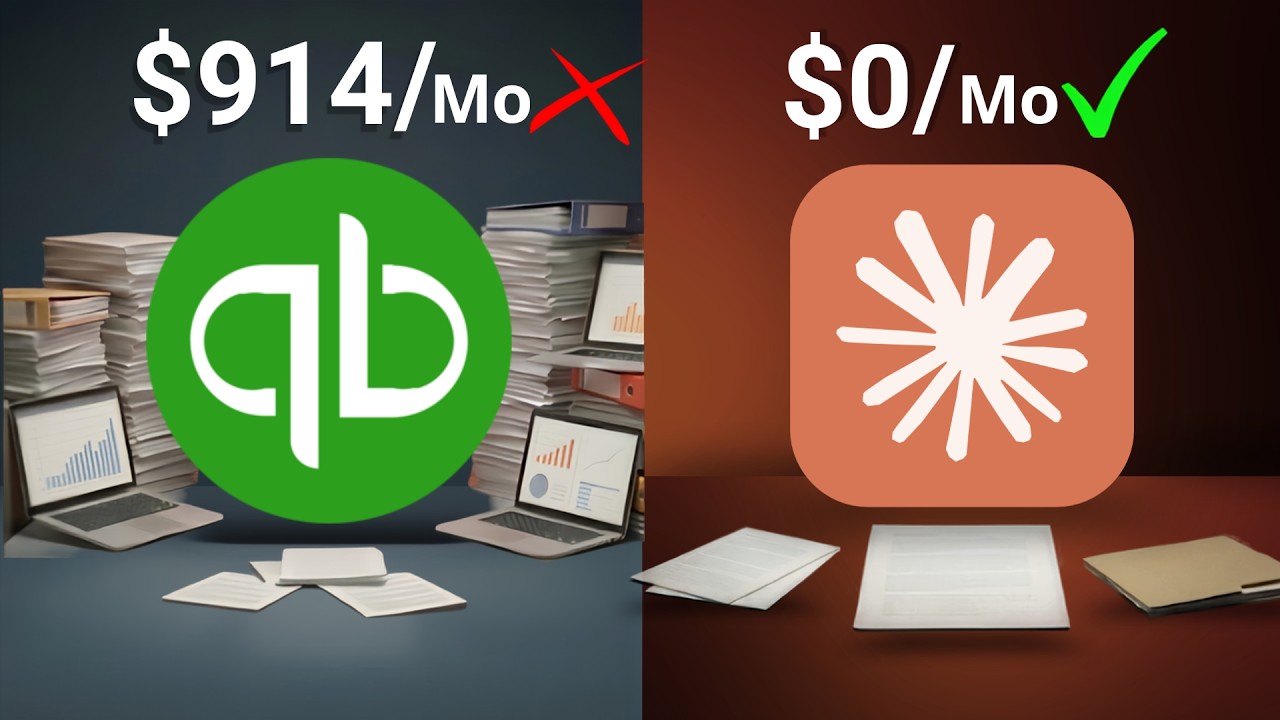 Play the video: I Saved $914/Month Replacing QuickBooks With Claude
Slashbooks is an open-source bookkeeping engine your AI agent can use. Keep cash books, or opt into accrual for a straightforward, single-entity SaaS or service business in one currency (USD by default). Your books live in local files you own. A shared Slashbooks Cloud workspace is optional.
The /books plugin guides setup, imports, review, reconciliation, and export in Claude Cowork, Claude Code, and Codex. Other agents can use the same command-line interface. The accounting engine calculates the numbers; you decide what work the agent may do.
I was tired of paying for QuickBooks and an outsourced bookkeeper for books that were always behind, so I built a bookkeeper my AI agent runs and that I control.
— Gil Hildebrand, creator of Slashbooks
Is it for you?
A good fit if…
- You run a straightforward SaaS or service business in one currency (USD by default).
- You need cash books or accrual books that track unpaid balances, prepayments, and monthly adjustments.
- You want current books without living inside accounting software.
- You want inspectable books in your own files.
- Your accountant reviews the output before tax filing.
Outside the scope
- Retail, ecommerce, wholesale, manufacturing, or construction accounting.
- Inventory, job costing, multi-currency, consolidation, or complex revenue contracts.
- Running payroll, filing taxes, sending invoices, or executing payments.
- Professional judgment without an owner or accountant reviewing the books.
Slashbooks is beta software. Start with the demo, review the output, and confirm that your business fits the supported scope.
How it works
01
Bring in activity
Use bank feeds, connectors, files, or an MCP connection your agent can access. Keep the source documents with the books.
02
Review the exceptions
Review proposed treatments and their effects. Accrual payments link to the right balance or service schedule.
03
Reconcile and hand off
Resolve missing support, review period readiness, and export reports. Final close remains an explicit action.
Ask for the bookkeeping task you need
Cash books record income and expenses when money moves. Accrual books separate when you earn income or incur expenses from when you get paid or pay the bill. Choose the basis for your company during setup, or turn accrual on later from a date and keep your cash history.
- “Record this bill for July; we have not paid it yet.” Record the expense and amount owed, then match the payment when it is paid.
- “Spread this annual software payment across the months it covers.” Review the monthly expense and the amount still prepaid. Customer prepayments can be earned over their agreed service period too.
- “Match this customer receipt to what they owe us.” Apply a full or partial payment to the existing balance. Overpayments and deposits stay as credits you can apply to an invoice. Credits and write-offs retain their supporting documents.
- “Depreciate this laptop over 24 months.” The asset stays at cost, and each month adds depreciation expense and accumulated depreciation from the cost, salvage value, and dates you give. Cancelled subscriptions, usage-based schedules, and accrued estimates that reverse themselves are supported too.
- “Prepare July and tell me what is missing.” Review financial statements, unpaid balances, monthly allocations, and reconciliations. The agent explains the work still needed before close.
The agent should show the accounting date, business effect, supporting document, and remaining balance. It checks whether a payment is already recorded so income, expenses, and cash are counted once. Accrual books are one company in one currency. They can show a cash-basis profit and loss derived from the accrual records, with a tie-out to the accrual result; bank movements are in the general ledger. Slashbooks does not calculate payroll, tax, or inventory.
See common accrual tasks and their results or a tested request for each pattern
Why it feels different
Your books stay with you
Each local company has its own folder, ledger, supporting documents, review queue, and reports. An optional Cloud workspace shares the same books with your accountant.
The AI is the interface, not the accountant
Deterministic software imports, validates, and reports the numbers. The agent guides the workflow and explains the result.
Built to work with professional review
Slashbooks prepares structured books and exports. Your accountant or tax professional still provides professional judgment.
Local or Cloud
Slashbooks is an AI bookkeeper. This site is the free open-source plugin. Slashbooks Cloud hosts the same engine and adds bank connections in the browser, automatic backups, and shared access for an accountant or firm. Both keep cash-basis books for small businesses whose money moves through bank accounts, cards, Stripe, or Mercury. Opt-in accrual is for services and SaaS businesses. The local plugin keeps one company's books. Cloud is in beta. Neither one does payroll or inventory.
| Aspect |
Local plugin |
Slashbooks Cloud |
| Where your books live |
On your computer. |
Hosted by Slashbooks. |
| Who runs the agent |
You run your own agent. |
Slashbooks does the monthly work for you, after you turn it on. |
| Bank connections |
You set them up with your own keys. |
You connect your bank in the browser. Slashbooks never sees your bank login. |
| Backups |
You make them. |
Automatic. |
| Accountant or firm access |
You share files. |
Shared access for an accountant or firm. |
| Price |
Free. |
Free during the beta, with at least 30 days' notice before any charge. |
Why not just QuickBooks?
QuickBooks serves every kind of business at once: invoicing, payroll add-ons, inventory, accrual, multi-user roles. Slashbooks focuses on cash books and supported accrual for straightforward SaaS and service businesses, with your agent as the interface.
| Aspect |
QuickBooks |
Slashbooks |
| Where your books live |
Intuit's cloud, reached through their app. |
Local files you own, or a shared Slashbooks Cloud workspace. |
| How you work |
Click through menus, forms, and reports. |
Ask an AI agent in plain English; it runs the workflow. |
| Scope |
Broad platform for every kind of business. |
Cash books and opt-in accrual for single-entity SaaS and services in one currency. |
| Cost |
Monthly subscription. |
Free local plugin, Apache-2.0. Slashbooks Cloud is free during the beta. Your AI tools and data providers have their own costs. |
What you can do
- Start books for a company in an empty directory.
- Keep the ledger in a local SQLite store you own, with Beancount-style exports when you need plain text.
- Use Stripe, Mercury, bank feeds, CSV, or other document sources available to your agent.
- Schedule preparation within the authority you delegate; review exceptions before final close.
- Review unfamiliar transactions before they become trusted rules.
- Ask questions about the recorded books, with the report basis and coverage visible.
- Generate financial reports and have your agent explain or visualize them.
- Compare with QuickBooks exports and keep the same accounting basis when moving your books.
- Export the workbook and CSV files your accountant needs at tax time.
Your books persist between conversations
Each local company directory holds its own ledger.sqlite, supporting documents, review queue, schedules, and reports. Optionally, link a folder to Slashbooks Cloud, where authorized people and agents share the company state. Switching conversations does not reset the books.
An always-on assistant can inspect activity, prepare changes, and bring back exceptions using the books CLI or Cloud API. Give it access to the company and explicitly delegate the actions it may perform. A recurring task supplies a schedule; it does not grant accounting authority. Source documents supply facts, not approval.
Start with a reviewed run, then schedule the supported preparation steps if your assistant provides scheduling. Final close and publication have their own authority. Slashbooks records accounting; it does not move money.
Bring over existing books with a clear start date
Keep the established accounting basis when moving from QuickBooks. Your agent checks the opening balances, matching financial reports, and the detail behind unpaid amounts and prepayments before new activity begins.
For a July 1 start, January through June can be retained as one verified summary and July can have detailed new entries. A separate May report still needs May's records. Reports explain which dates are available, including a first partial month.
Common questions
Can I trust an AI with my books?
The AI never does the math. A deterministic accounting engine imports transactions, writes ledger entries, validates balances, and generates reports. The agent guides the workflow and explains the results. Unfamiliar transactions wait in a review queue for your decision, and an audit log records every change to the ledger.
What does it cost?
The local plugin is free and open source under Apache-2.0. Your AI assistant and any data providers have their own costs. Slashbooks Cloud is a hosted service. It is free during the beta. Slashbooks gives at least 30 days' notice before any charge. Learn about Slashbooks Cloud
Is my financial data private?
Local books stay in your company folder. If you choose Cloud, the shared books live in the hosted service. Your AI assistant and the connections you enable see the data needed for their work, so choose their access deliberately.
Will my accountant work with this?
Slashbooks is built around the accountant handoff, not against it. It exports the Excel workbook and CSV files accountants normally ask for, and there is a guide written for accountants that explains how the books are kept.
I already use QuickBooks. How do I switch?
Compare the source reports first, keep the same accounting basis, and reconcile the opening position and its support. An accrual cutover preserves covered fiscal totals without pretending to reconstruct unavailable historical months. The comparison page explains the supported paths.
What if I stop using it?
Local books are ordinary files you keep: a SQLite ledger, supporting records, and plain-text, Excel, or CSV exports. Cloud books can be exported too. Keep the supporting documents and backups with the accounting state.
Do I need to be technical?
The plugin guides you in plain English through Claude Cowork, Claude Code, or Codex. A different assistant needs access to the documented CLI or Cloud API and the company workspace. Start with the demo to check the setup.
Can my Grok Bot, OpenAI dot, or Meta Muse use it?
Grok Bot, an OpenAI dot, and Meta Muse are personal agents with their own tools and access controls. For Slashbooks, your assistant needs a working CLI or Cloud API connection, persistent company access, and permission for the intended operations.
The plugin installs below cover Claude and Codex. Other assistant setups use the documented interfaces and should be checked with a demo workflow. A product name alone does not establish compatibility or grant permission to post entries.
Try the demo company
Want to explore before connecting real data? Open your books parent folder in Claude Cowork, Claude Code, or Codex and say:
Let's setup the books for the demo company.
The agent shows onboarding questions with Northstar Metrics LLC's fictional answers and creates sample business activity plus a few transactions to review, so you can try the normal workflow without connecting real accounts.
Install
Pick the app you prefer. Install the plugin once, then use it from a separate books parent such as ~/Documents/books/, with one subfolder per company.
Claude Cowork
Best for most people. Cowork gives you a guided workspace for setup, review, and monthly bookkeeping without living in a terminal.
- Open Claude and go to Cowork.
- Open Customize → Plugins.
- Under Personal plugins, click + → Add marketplace.
- Paste
https://github.com/giltotherescue/slashbooks and click Sync.
- Install or enable
/books from the synced marketplace.
Claude Code
/plugin marketplace add https://github.com/giltotherescue/slashbooks
/plugin install slashbooks@slashbooks
Codex
codex plugin marketplace add https://github.com/giltotherescue/slashbooks
Then restart Codex if needed, open the plugin directory, choose the Slashbooks marketplace, and install the plugin.
Own your books again
Install the plugin, start with the demo company, and follow a transaction through to the report. The source is open if you want to read it first.
Documentation
License
Apache-2.0. See the LICENSE on GitHub.